



Business signage content works by delivering one focused message at a time through digital displays, designed to capture attention within 3 seconds and guide viewer behavior. Unlike a website where someone chooses to engage, a digital sign competes with everything else in the environment. That constraint shapes every decision you make about design, scheduling, and measurement.
The content itself spans several formats:
- Text and headlines — short, high-contrast copy that communicates at a glance
- Static images and graphics — brand-consistent visuals that reinforce recognition
- Video and motion — short clips or subtle animations that draw the eye
- Interactive elements — touchscreens, QR codes, and NFC triggers that invite action
- Live data feeds — weather, inventory levels, or KPIs that update automatically
What separates effective signage from expensive wallpaper is the interplay between design principles, content scheduling, and clear ownership. Get those three right, and your screens become a genuine business asset. Get them wrong, and you’re paying to display content nobody reads.
Table of Contents
- How business signage content works: the key components
- How to create and manage effective signage content
- What your business actually gains from well-run signage
- Common mistakes that kill signage effectiveness
- Measuring signage impact and managing your content team
- Spectrio brings your signage content strategy to life
- Key Takeaways
- FAQ
How business signage content works: the key components
Every piece of effective signage content rests on a small set of design rules that are grounded in how the human visual system processes information during brief, unintentional glances.

The most useful framework is the 3-5-10 rule: a few seconds to grab attention, a brief display time per slide, and a limited number of words on your primary message. Studies consistently show that clean, single-message layouts outperform cluttered ones by a substantial margin in engagement metrics. That is not a marginal improvement.
Beyond word count, the physical environment drives several other decisions:
- Font size by distance. For every 10 feet of viewing distance, use at least 1 inch of letter height. At 15 feet, that means 72pt bold sans-serif as your minimum. Thin strokes disappear on digital screens.
- Contrast. Light-on-dark displays produce measurably higher read rates from across a room than dark-on-light.
- Negative space. Sixty percent or more of your layout should be open. White space is not wasted space; it makes the primary message stand out.
- One message per slide. If you have two things to say, use two slides.
- A single, clear call to action. “Scan to save $5” outperforms “Learn more” every time.
- Dayparting. Scheduling different content for different times of day can increase relevance by 25–35% according to industry benchmarks.
- Branding consistency. Limit layouts to 2–3 brand colors and no more than two font families per loop.
Pro Tip: Before publishing any new slide, show it to someone unfamiliar with your brand for exactly 3 seconds, then ask what the message was. If they can’t tell you, simplify it.
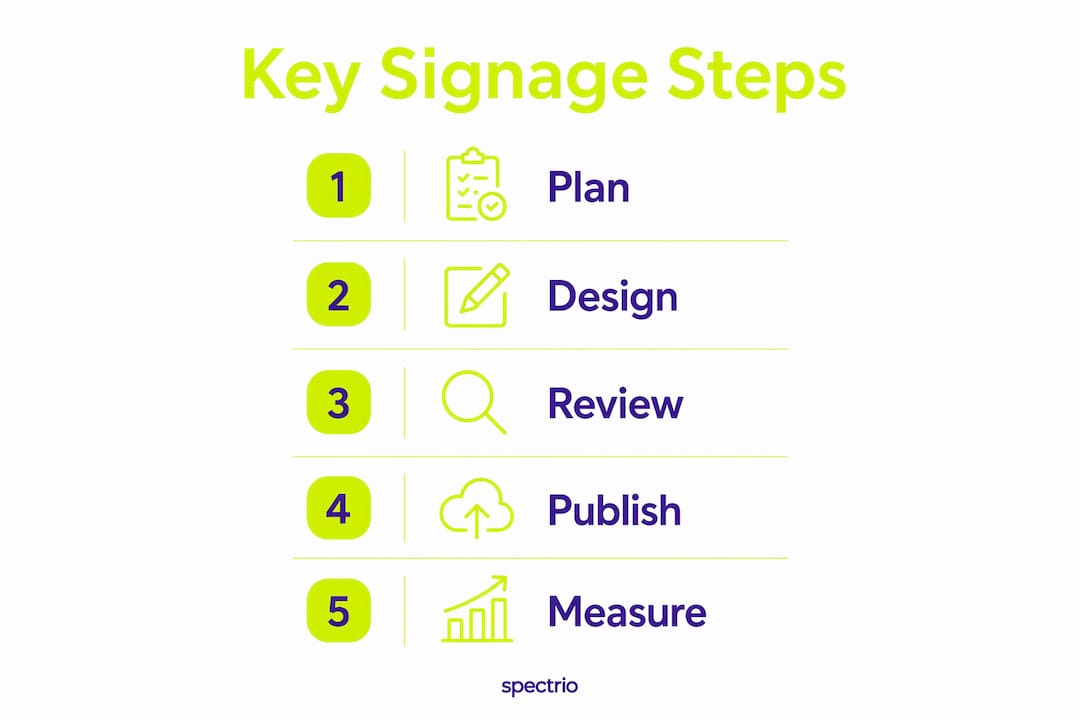
How to create and manage effective signage content
A repeatable workflow is what keeps your screens relevant month after month. Here is a practical sequence that works across retail, corporate, and hospitality environments.
- Define the screen’s purpose. Every display should answer one question: what action or decision should a viewer take after seeing this screen? A lobby screen serves a different job than a checkout display or a break room board.
- Build 5–7 core templates. Well-designed templates cover roughly 80% of your content needs across deployments in retail, corporate, healthcare, and education. They keep branding consistent even when different people create content, and they cut production time from hours to minutes.
- Assign a named content owner. Not a department. Not a committee. One person per screen or zone, with dedicated time in their schedule and access to the templates. Stations with assigned owners show content refresh rates 40% higher and deployment longevity beyond one year.
- Create content within templates. Write headlines at 7 words or fewer. Pair each headline with one visual and one CTA. Preview every slide on the actual screen at the actual viewing distance before publishing.
- Schedule with dayparting and expiry dates. A breakfast promotion should not still be running at dinner. Every time-sensitive piece of content needs an end date configured in your content management system (CMS). Set it at publish time, not later.
- Automate live data feeds. Target a majority of your screen content as automated, self-updating material such as weather, news, KPIs, room bookings, or inventory levels. The rest should be manually scheduled campaign content. This ratio keeps screens dynamic without overwhelming your team.
- Review and refresh on a set cycle. High-traffic locations benefit from weekly updates. Weekly content refresh correlates with up to 40% higher engagement in retail and corporate settings. Build a 30-minute monthly check-in with each content owner into the calendar.
For businesses managing multiple locations, a cloud-based CMS with role-based access control is the practical standard. It lets content owners update their own screens without touching others, and it supports granular scheduling down to individual displays. You can explore how to create and manage content at scale using the right platform setup.
What your business actually gains from well-run signage

The ROI case for digital signage content is clearest when you look at specific outcomes rather than general claims.
Customer engagement goes up when messaging is timely and clear. A screen showing relevant, fresh content gives customers a reason to look. One showing a promotion that expired three weeks ago trains them to ignore it. The habit forms quickly in both directions.
Brand recognition compounds over time. Consistent use of your colors, fonts, and visual style across every screen in every location builds familiarity that print and digital ads cannot replicate at the point of experience. Visual content drives significantly higher engagement than text alone, which is why the visual hierarchy of your signage matters as much as the copy.
- Sales and promotional lift from targeted CTAs tied to specific products or offers
- Reduced perceived wait times in service environments, where informational or entertainment content makes queues feel shorter
- Internal communication gains when employee-facing screens carry schedules, safety reminders, and recognition content
- Lower content production costs over time, as templates replace one-off design work
The digital signage ROI case strengthens further when you factor in the elimination of print costs: no printing, no shipping, no disposal of outdated materials. Content changes happen in minutes, not days.
Common mistakes that kill signage effectiveness
Most signage failures trace back to a handful of predictable errors. Audits across retail, restaurant, and corporate environments reveal that 70% of ineffective signage violates one or more key design rules.
- Overloading slides with multiple messages. When everything is emphasized, nothing is. One message per slide is a rule, not a suggestion.
- Repurposing print materials without adaptation. A flyer designed for 8.5×11 paper at reading distance does not translate to a 55-inch screen viewed from 10 feet. Font sizes are too small, text is too dense, and the layout ignores the 3-second window.
- No content ownership. When IT inherits content responsibilities by default, screens go stale within weeks. Business teams must own their messaging. IT manages the infrastructure; it should not be writing the promotions.
- Missing expiry dates. A “Monday Special” still showing on Wednesday tells customers your screens cannot be trusted. Sixty-eight percent of viewers stop engaging with screens showing outdated information.
- Ignoring the viewing environment. Content that looks polished on a laptop can become unreadable on a large-format display in a brightly lit space. Always preview at the actual screen in its installed location.
- Excessive motion. Subtle animation increases gaze time. Rapid flashing or multiple moving elements reduce comprehension and drive viewers away.
- Weak or missing CTAs. “Learn more” is not a call to action. “Scan to save $5” is. Every slide should tell viewers exactly what to do next.
Pro Tip: Run a quarterly content audit. Walk every screen in your location and ask: Is this content still accurate? Is the CTA still valid? Could a first-time visitor read it from the farthest viewing point? Three questions, 15 minutes, and you will catch most problems before they compound.
Measuring signage impact and managing your content team
Knowing how signage content performance is measured separates businesses that optimize their screens from those that simply run them. The most useful KPIs connect directly to business outcomes, not to vanity metrics like screen uptime or loop frequency.
The KPIs that actually matter for measuring in-store signage effectiveness are:
- Dwell time — how long viewers engage with a screen, which signals content relevance
- Conversion rate — the percentage of viewers who took a desired action after seeing the display
- Interaction rate — touches, QR code scans, and NFC taps that indicate active engagement
- Sales lift by campaign — comparing POS data before, during, and after a signage campaign
- Content freshness — average age of active content items; anything older than 30 days warrants review
Proof-of-play logs, available in virtually all commercial CMS platforms, confirm that scheduled content actually ran on the right screen at the right time. That is your compliance baseline. Audience measurement tools, including camera-based sensors and foot traffic counters, add a layer of impression data that becomes meaningful when paired with conversion or sales figures.
Stat to know: Stations with a named content owner show notably higher content refresh rates than those without one, and deployments with clear ownership tend to last longer without going stale.
For most businesses, a simple monthly report covering screen availability, content compliance, content freshness, and engagement proxies like QR scan events is sufficient to spot trends and justify continued investment. The goal is consistency: tracking the same metrics over time so you can identify what is working and where to adjust.
A data-driven content strategy also helps you plan refresh cycles, allocate budget, and build the case internally for investing in better content rather than more hardware. Most organizations already have access to more signage analytics than they are using. Start with what your CMS already provides, build a reporting habit, and add audience measurement tools when the deployment scale justifies it.
For a business signage content checklist, the core ownership and measurement practices look like this:
- Assign one named content owner per screen or zone
- Set expiry dates on every time-sensitive piece of content at publish time
- Target 60–70% automated content, 30–40% manually scheduled campaigns
- Review content freshness monthly; refresh high-traffic screens weekly
- Track dwell time, conversion rate, and interaction rate as primary KPIs
- Run a quarterly audit to catch stale content and design violations
Spectrio brings your signage content strategy to life
Spectrio’s Intelligent Engagement Suite™ gives you the content creation, scheduling, and measurement capabilities that most businesses spend months trying to piece together on their own. The difference is a dedicated account team and 24/7 support, so your screens stay current without the operational burden falling entirely on your internal staff.
Where many platforms hand you a CMS and leave you to figure out the rest, Spectrio combines professional content creation with audience measurement and multi-location management in one place. Whether you’re running a restaurant customer experience program, a retail floor display network, or an employee communications system, the platform is built to keep content fresh, on-brand, and tied to measurable outcomes. You get the templates, the automation, and the analytics without needing a full-time designer or a separate analytics tool.
If your screens have been cycling the same slides for months, or if content ownership at your organization is unclear, Spectrio is a direct solution to both problems. Explore Spectrio’s digital signage platform to see how it fits your specific environment, or connect with the team to get a tailored recommendation.
Key Takeaways
Effective business signage content requires clear ownership, the 3-5-10 design rule, automated data feeds, and KPIs tied to business outcomes rather than screen uptime.
| Point | Details |
|---|---|
| The 3-5-10 rule | Limit primary messages to 10 words, display each slide for 5–10 seconds, and design for a 3-second attention window. |
| Content ownership | Assigning a named owner per screen raises content refresh rates by 40% and extends deployment longevity beyond one year. |
| Automation ratio | Target 60–70% automated, self-updating content and 30–40% manually scheduled campaigns for maximum freshness. |
| Weekly refresh impact | Refreshing content regularly correlates with significantly higher engagement in retail and corporate settings. |
| Spectrio’s role | Spectrio combines professional content creation, scheduling, audience measurement, and 24/7 support in one platform. |
FAQ
What are the key elements of effective signage content?
Effective signage content follows the 3-5-10 rule: 3 seconds to capture attention, 5–10 seconds of display time, and no more than 10 words on the primary message. It also requires high contrast, a readable sans-serif font sized for the viewing distance, one clear call to action per slide, and regular content refreshes.
What are the two main types of digital signage content?
The two core types are automated, self-updating content (live data feeds like weather, KPIs, and inventory) and manually scheduled campaign content (promotions, announcements, and brand messaging). A healthy signage network targets 60–70% automated content and 30–40% scheduled campaigns.
What are common digital signage mistakes to avoid?
The most frequent mistakes are overloading slides with multiple messages, repurposing print materials without adapting them for screen viewing, failing to set expiry dates on time-sensitive content, and leaving content ownership undefined so no one updates the screens. Audits show that 70% of ineffective signage violates at least one core design rule.
Is managing a digital signage network profitable for a business?
Yes, when content is actively managed. Businesses that refresh content weekly, assign clear ownership, and track KPIs like conversion rate and sales lift consistently see measurable returns. The cost savings from eliminating print production and the engagement gains from timely messaging both contribute to a positive ROI over time.