

Employee communication digital board setup is the process of installing and configuring digital signage to share real-time information with employees across large organizations. The industry standard term for this practice is workplace digital signage, and it covers everything from break room screens to factory floor displays. Done right, it replaces fragmented emails, printed memos, and missed announcements with a single, always-on communication channel. Cloud-based platforms now make the process accessible to any HR team, regardless of technical background, and Spectrio’s experience across multiple industries confirms that the biggest gains come from organizations that treat screen placement and content strategy as seriously as the hardware itself.
What tools and hardware are required for a digital communication board?
A digital communication board requires three core components: a display screen, a media player, and cloud-based software to manage content. The good news is that modern platforms run in standard web browsers, which means you can often reuse hardware you already own.
Display screens and media players
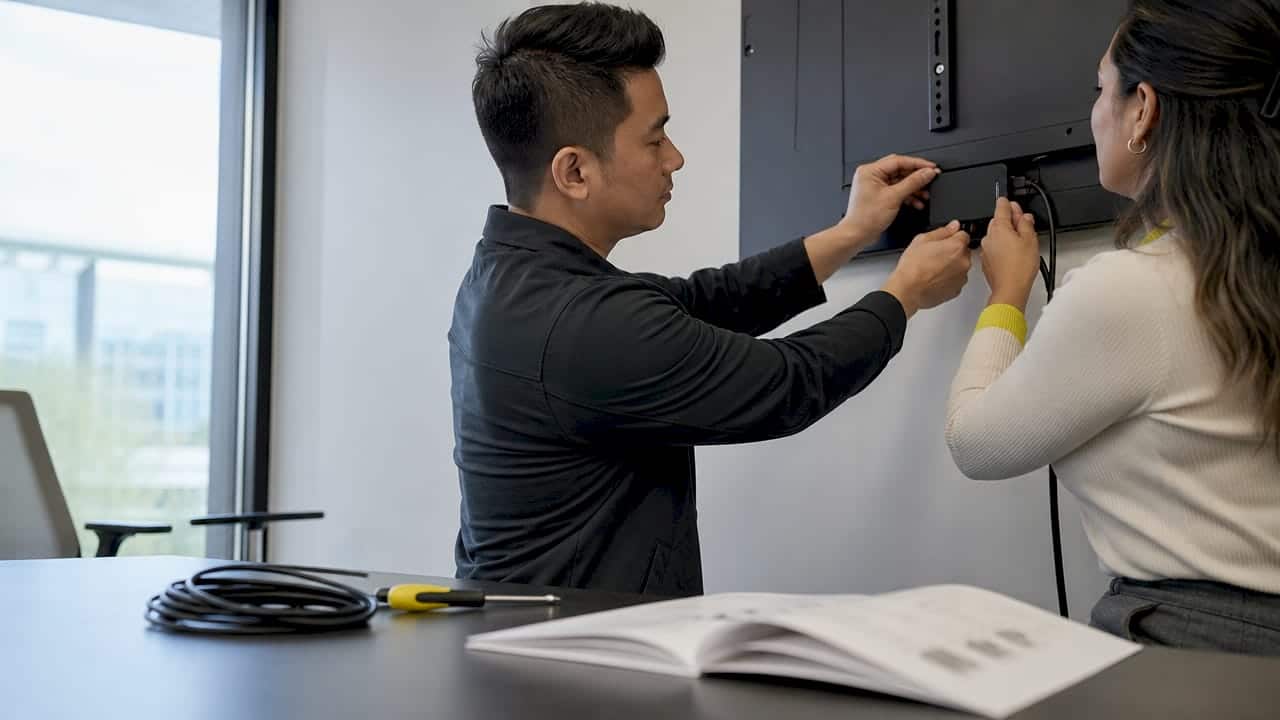
Commercial-grade screens in the 43–75 inch range work best for high-traffic areas. For media players, cloud-compatible devices such as Apple TV 4K, Android sticks, and Samsung Tizen smart displays are all viable options. Apple TV 4K is particularly popular because of its reliability and low cost relative to dedicated signage hardware. If your screens already have a built-in operating system, you may not need a separate media player at all.
Software and cost considerations
Entry-level digital bulletin board systems start around $459 for basic setups, with professional-grade systems scaling in cost as features and screen counts increase. Most standard packages include three-year warranties and multi-language support, which matters for enterprise organizations with diverse workforces. That multi-language capability is not a luxury for large employers. It is a baseline requirement for reaching every employee effectively.
Key hardware and software requirements include:
- Commercial display screens in sizes appropriate for the viewing distance of each location
- Media players (Apple TV 4K, Android, or Samsung Tizen) or smart displays with built-in OS
- Cloud-based signage software that runs in a browser without proprietary infrastructure
- Stable network connectivity via wired Ethernet or secured Wi-Fi at each screen location
- Content management access for HR managers and department heads to update screens remotely
Pro Tip: Before purchasing new hardware, audit your existing TVs and monitors. Many enterprise-grade screens already support browser-based signage apps, which can cut your startup costs significantly.
Where should you place digital boards to maximize employee engagement?
Screen placement determines whether your digital signage program succeeds or fails. A screen that employees never pass is a screen that never communicates.
The most effective locations are break rooms, main hallways, building entrances, elevator lobbies, and factory or warehouse floors. Screens in break rooms and hallways reach deskless and hybrid workers who never sit at a computer, making them the most reliable channel for that audience segment. Venue staff, retail associates, and manufacturing teams fall into this category. For these groups, digital signage is not a supplement to email. It is the primary communication channel.
Tailoring content to location and audience
Not every screen should show the same content. Group-by-department or group-by-location targeting increases relevance and keeps employees engaged with what they see. A warehouse team does not need to see the same content as the corporate HR floor. Segmenting your playlist by screen location takes about 10 minutes to configure in most cloud platforms and pays off immediately in engagement.
Consider these placement principles:
- Break rooms: Safety reminders, wellness updates, shift schedules, and recognition posts
- Main hallways: Company news, KPIs, event announcements, and motivational content
- Factory and warehouse floors: Safety alerts, production targets, and shift-specific updates
- Reception areas: Company culture content, onboarding information, and visitor-facing messaging
- Venue and event spaces: Staff schedules, role assignments, and real-time operational updates for venue staff communication
Using interactivity to deepen engagement
Interactive signage turns a passive display into a self-service information hub. Employees can browse categorized content on the same screen during idle periods, which increases the time they spend engaging with the information. This is particularly effective in break rooms where employees have two to five minutes of unstructured time. Touchscreen kiosks take this further by letting staff check schedules, submit feedback, or access HR documents without visiting a desk or opening a laptop.
Pro Tip: Run a two-week pilot with screens in your top three highest-traffic locations before rolling out company-wide. You will learn which content formats get attention and which get ignored, saving you time and budget on the full deployment.
Step-by-step process for configuring and launching your digital boards
A well-structured launch prevents the most common failure modes: screens that go live with placeholder content, networks that drop connections mid-shift, and content that becomes stale within two weeks.
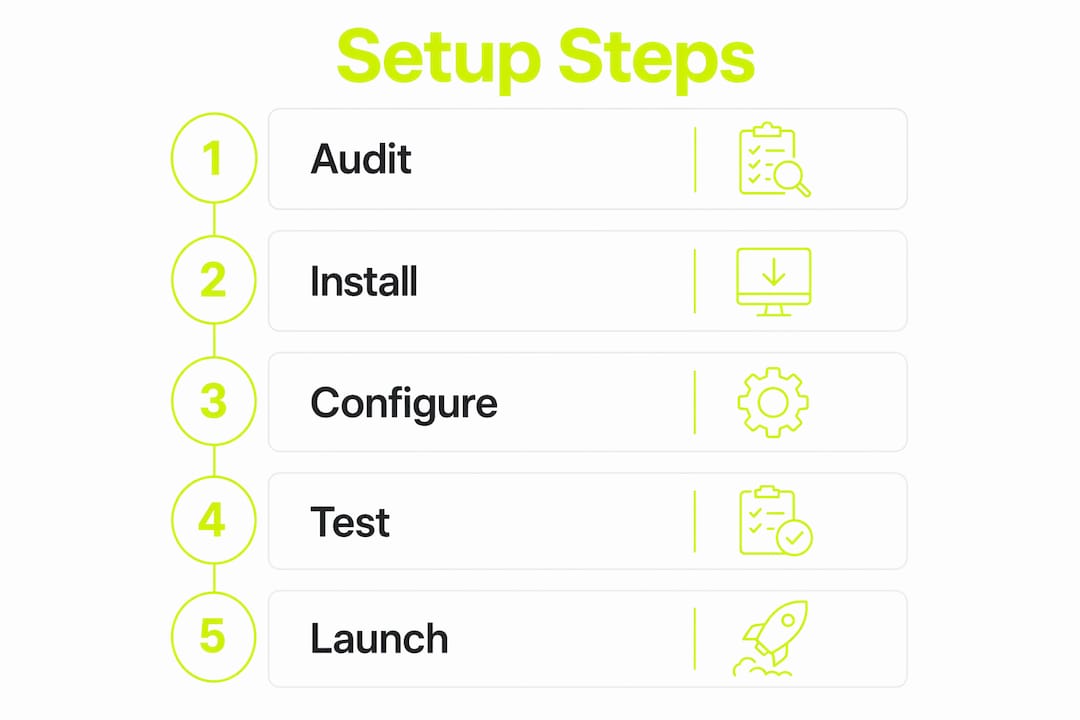
Follow this sequence for a reliable rollout:
- Select your software platform. Choose a cloud-based, browser-compatible platform that your HR team can manage without IT support. The best platforms let you set up your first board in under 10 minutes with no specialized skills required.
- Define your content zones and audiences. Map each screen location to a specific employee group. Decide what types of content each group needs: safety alerts, KPIs, schedules, recognition, or company news.
- Create your initial content. Use familiar tools like Google Slides or Notion to build your first set of slides. Most platforms accept these formats directly. Focus on engaging signage content that uses visuals, short text, and clear calls to action. Avoid walls of text on any single slide.
- Integrate live data feeds. Connect your platform to live sources such as your HR system, production dashboards, or company calendar. This keeps content current without requiring manual updates every day.
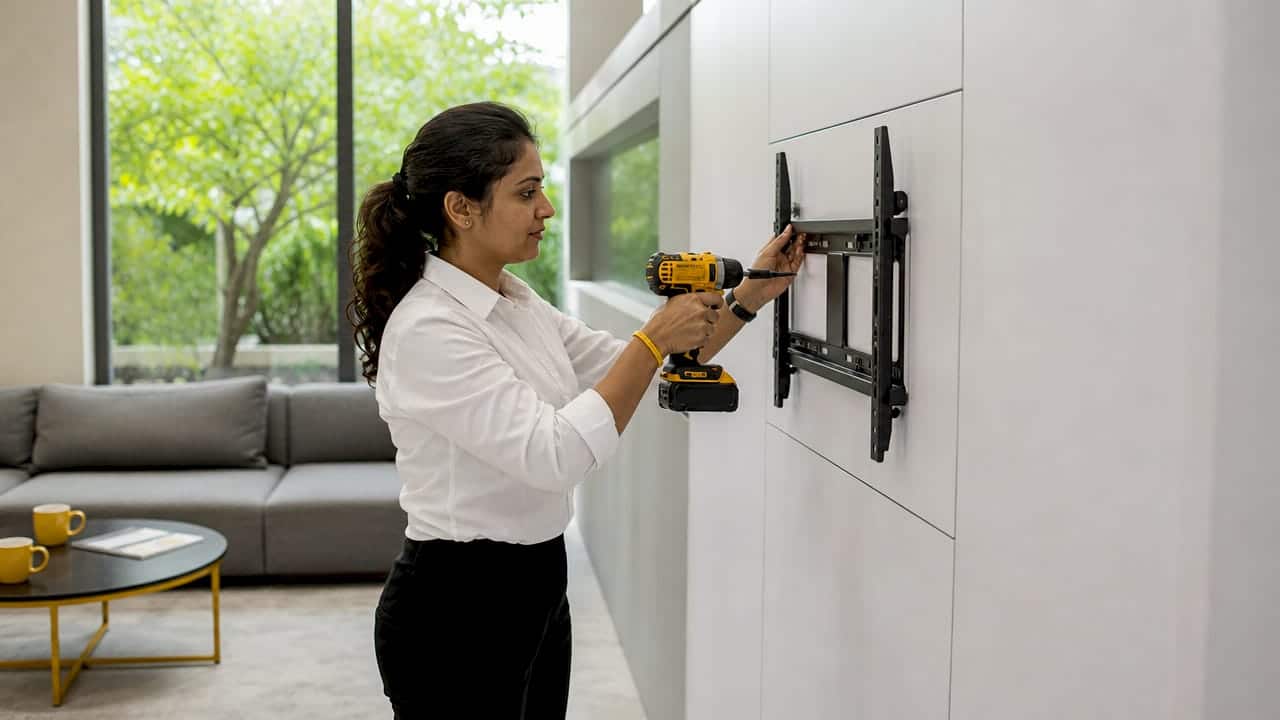
- Install screens and confirm network connectivity. Mount screens at eye level in your target locations. Test wired Ethernet connections first. Use secured Wi-Fi only where cabling is not practical.
- Build and schedule your playlists. Assign content to specific screens and set display schedules by shift or time of day. Morning safety briefings, midday recognition posts, and end-of-shift production summaries each serve a different purpose and should appear at the right time.
- Configure emergency alert overrides. Advanced systems let authorized staff push alerts in under 30 seconds, refreshing all screens immediately. This capability is non-negotiable for any workplace with deskless employees. Test it before your go-live date.
- Launch and communicate the rollout. Tell employees what the screens are for and what they will see. A brief announcement via email or a team meeting sets expectations and increases the likelihood that employees actually read the displays.
Pro Tip: Assign a content owner for each department before launch, not after. Without clear ownership, content calendars collapse within a month and screens go stale.
How do you maintain and optimize digital boards over time?
Stale content is the leading reason digital signage programs fail. Automation and clear ownership are the two fixes that prevent it.
Automating content updates through live data integrations with calendars, dashboards, and HR systems removes the manual burden from your team. When a screen pulls shift schedules directly from your scheduling software, it is always current without anyone touching the content management system. That reliability is what keeps employees trusting the screens.
Ongoing maintenance best practices include:
- Assign content owners by department. Each team lead or HR business partner owns their segment of the playlist and reviews it weekly.
- Use a content calendar. Plan content at least two weeks ahead. Treat the digital board like an internal publication with deadlines and editorial review.
- Prune underperforming content. Remove slides that employees consistently ignore. Most platforms show dwell time and interaction data. Use it.
- Audit emergency alert functionality monthly. Test that override alerts still reach every screen within 30 seconds. Personnel changes and software updates can break this capability silently.
- Refresh visual templates quarterly. Employees stop reading content that looks the same every day. Rotating templates and color schemes keeps the displays feeling current.
Updating digital signage content remotely takes seconds on modern platforms, which removes the excuse of inconvenience. The real discipline is building the habit of regular review into your team’s workflow. Organizations that treat their digital boards like a living publication consistently outperform those that treat them as a set-and-forget installation.
Key Takeaways
A successful employee communication digital board setup requires the right hardware, deliberate screen placement, structured content ownership, and automated updates to stay effective over time.
| Point | Details |
|---|---|
| Hardware flexibility | Reuse existing screens with cloud-compatible media players to reduce startup costs. |
| Strategic placement | Break rooms, hallways, and factory floors reach deskless and hybrid workers most reliably. |
| Structured launch process | Assign content owners and configure emergency alerts before go-live, not after. |
| Automation prevents failure | Live data integrations keep content current and prevent the stale-screen problem that kills most programs. |
| Interactivity drives engagement | Touchscreen and interactive modes turn passive displays into self-service information hubs. |
What I’ve learned after watching dozens of digital board rollouts
The organizations that get the most out of workplace digital signage share one trait: they treat it as a communication discipline, not a technology project. I have seen companies spend significant budget on high-resolution screens and then assign content management to whoever had spare time. Within six weeks, the screens showed outdated safety posters and last quarter’s KPIs. Employees stopped looking.
The counter-intuitive truth is that the hardware matters far less than the content governance model. A $459 entry-level setup with a dedicated content owner and a weekly review cadence will outperform a $10,000 installation with no clear ownership every single time.
The trend worth watching is AI-powered content personalization. Platforms are beginning to serve different content to different employee segments based on role, shift, and location, without requiring manual playlist management. That capability will make the content ownership problem easier to solve, but it will not eliminate the need for human judgment about what your employees actually need to know.
The other thing I would push back on is the assumption that interactive boards are only for retail or customer-facing environments. Interactive employee boards in break rooms and common areas consistently show higher engagement than static displays, particularly for shift workers who do not have regular access to company intranets. If your workforce includes a significant deskless population, interactivity is not a nice-to-have. It is the feature that makes the investment worthwhile.
Start with three screens, build the content habit, then scale. That sequence works. The reverse does not.
How Spectrio supports your digital signage rollout
Spectrio’s digital signage solutions are built for organizations that need reliable, centrally managed communication across multiple locations and employee groups.

Spectrio provides media players, cloud-based content management, and real-time update capabilities that let your HR and operations teams push content changes in seconds. Emergency alert overrides, playlist scheduling by shift or location, and audience measurement tools are all included. The Spectrio team also provides dedicated account support and deployment guidance, so your rollout does not stall at the installation stage. If you are evaluating the ROI of digital signage or ready to move from printed boards to a live digital system, Spectrio’s team can walk you through the right configuration for your organization’s size and structure.
FAQ
What is an employee communication digital board?
An employee communication digital board is a networked display screen that shows real-time workplace information such as schedules, safety alerts, KPIs, and company news to employees. It replaces static printed notices with content that can be updated remotely in seconds.
How long does it take to set up a digital communication board?
Modern cloud-based platforms allow businesses to set up their first digital communication board in under 10 minutes with no specialized technical skills. The software runs in a standard web browser and works with existing hardware in many cases.
Where is the best place to install digital boards for employee engagement?
Break rooms, main hallways, and factory or warehouse floors are the most effective locations because they reach deskless and hybrid workers who do not regularly use computers. Targeting content by screen location increases relevance and engagement for each employee group.
How do you prevent digital signage content from going stale?
Assign a content owner for each department and connect your platform to live data feeds such as HR systems and production dashboards. Automated integrations keep content current without requiring daily manual updates, which is the most reliable way to sustain a digital signage program long term.
Can digital boards send emergency alerts to all screens at once?
Advanced digital signage systems allow authorized staff to push emergency alerts to all screens in under 30 seconds. This capability is especially critical for workplaces with deskless employees who do not monitor email or mobile apps during their shifts.
Recommended