



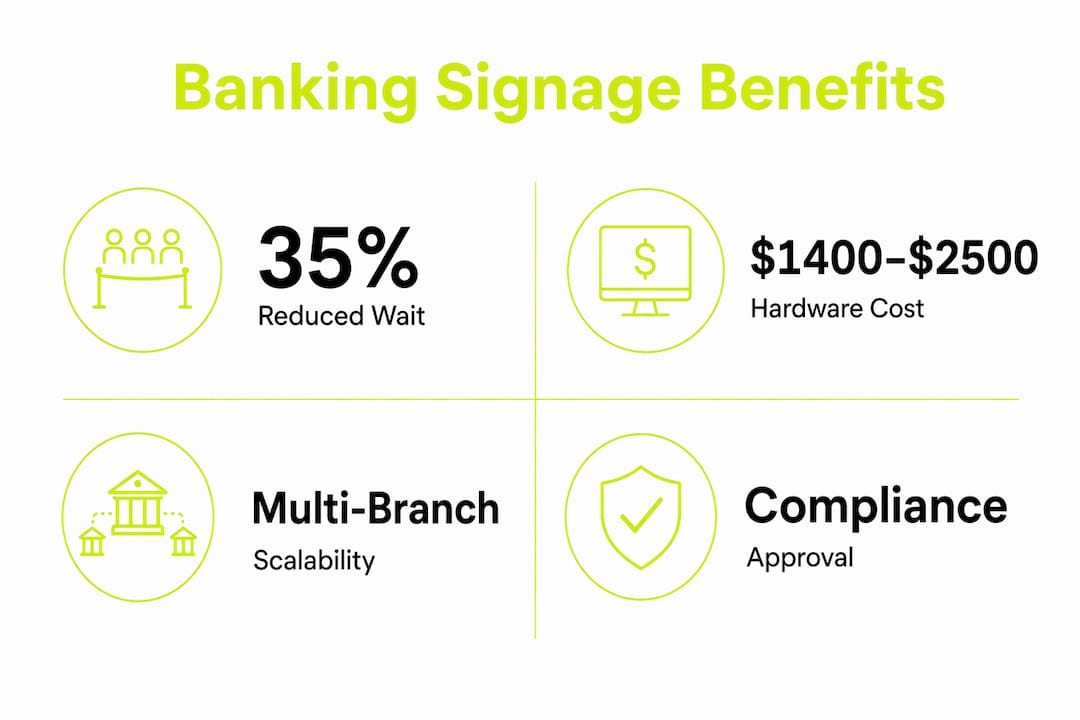
Digital signage in banking is defined as centrally managed, dynamic display systems that deliver real-time content across branch touchpoints, from lobby screens to exterior windows. The role of digital signage in banking goes well beyond replacing printed posters. These systems drive measurable outcomes: lobby screens increase product inquiry rates by 15–25%, and queue management displays reduce perceived wait times by 35%. For banking decision-makers, that combination of customer engagement and operational efficiency makes digital signage one of the highest-return communication investments available at the branch level.
How does bank branch digital signage deployment work?
Deploying digital signage in a bank branch starts with a clear hardware plan. Most mid-sized branches place screens in three zones: the lobby entrance, the teller line waiting area, and consultation rooms. Each zone serves a different purpose in the customer journey, and screen count typically ranges from three to six displays per branch.
The cost structure is predictable. A typical branch deployment requires a hardware investment of $1,400–$2,500 per branch, with ongoing software fees running $48–$300 per month. For a 10-branch network running 50 screens, annual costs land between $21,000 and $60,000. That range reflects real differences in content management platform sophistication, remote monitoring capability, and integration depth.
| Deployment scale | Hardware cost | Annual software cost |
|---|---|---|
| Single branch (3–5 screens) | $1,400–$2,500 | $576–$3,600 |
| 10-branch network (50 screens) | $14,000–$25,000 | $21,000–$60,000 |
| Exterior window display (per screen) | Higher investment | Included in platform fee |
Scaling from one branch to many requires a repeatable process. Pilot projects starting with 2–3 lobby screens over a 60–90 day window let you measure content performance, refine placement, and build a standardized rollout playbook before committing capital across the full network. This approach reduces deployment risk and gives your compliance and IT teams time to build proper workflows.
Pro Tip: Run your pilot in a branch with mixed foot traffic patterns, not your busiest location. A representative branch gives you more reliable performance data for network-wide decisions.
What are the key benefits of digital signage in banking?
The benefits of digital signage in banking fall into four clear categories: customer experience, revenue support, brand perception, and compliance efficiency.

On the customer experience side, the impact on wait time perception is the most documented outcome. Queue management screens reduce perceived wait times by 35%. That matters because perceived wait time directly affects customer satisfaction scores, and satisfied customers are more likely to engage with product offers while they wait.
Revenue support comes through cross-selling. Lobby displays that promote specific products at the right moment in the customer journey generate product inquiry rate increases of 15–25%. A customer waiting to open a checking account is a natural audience for a home equity loan promotion. Static printed signage cannot adapt to that moment. Digital displays can.
Brand perception is a less-discussed but equally real benefit. Effective digital signage makes a bank appear modern and tech-forward, which resonates with younger customers who evaluate institutions partly on their digital presence. A branch that looks current signals that the bank operates with the same standards online and in person.
Compliance efficiency rounds out the picture. Key benefits include:
- Rapid content updates across all branches from a single dashboard, eliminating the lag between rate changes and branch communication
- Scheduled publishing that supports pre-approval workflows and creates an audit trail for regulatory review
- Centralized version control that prevents outdated disclosures from remaining on display after regulatory deadlines
What operational details determine success or failure?
Most banks that struggle with digital signage make one foundational mistake. Treating screens as static electronic posters rather than a dynamic communication system produces poor results. Success requires real-time data integration, centralized remote management, and a cross-functional team to keep content accurate and compliant.
The integration question is the most technically consequential decision you will make. Manual USB-based content updates create compliance lag and operational risk. A rate board updated by hand every morning is already wrong by the time a customer reads it. API integrations that pull live rate data from your core banking system eliminate that risk entirely and reduce the labor burden on branch staff.
Organizational structure matters as much as technology. Operational success depends on IT, marketing, compliance, and branch staff working from a shared workflow. A content approval process that works in practice looks like this:
- Marketing creates content and submits it through the content management system.
- Compliance reviews the content against current regulatory requirements and approves or flags it.
- The scheduling system publishes approved content at the designated time and logs the action for audit purposes.
- IT monitors device health, network security, and uptime across all branch screens remotely.
- Branch managers confirm physical display conditions and flag any hardware issues through the same platform.
Screen placement follows the customer journey. Entrance screens handle orientation, waiting area screens manage queue anxiety and promote products, and consultation zone screens deliver personalized content relevant to the service being discussed. Placing a mortgage promotion in the waiting area works. Placing it on a screen visible only from the teller window does not.
Pro Tip: Build your compliance approval workflow into the content management system before you go live. Retrofitting approval steps after deployment creates gaps in your audit trail and frustrates both marketing and compliance teams.
What are real examples of digital signage in bank branches?
The most effective bank branches use digital displays across five distinct functional roles, each serving a different communication objective.
Lobby promotion screens are the most common starting point. These displays cycle through current product offers, financial wellness tips, and seasonal campaigns. A lobby screen promoting a high-yield savings account during a period of rising interest rates captures customer attention at exactly the moment they are thinking about their money.
Queue management displays show estimated wait times, ticket numbers, and service availability. They reduce the anxiety of waiting by giving customers information and something to watch. Banks that pair queue displays with product content during wait periods turn idle time into a marketing opportunity.
Rate boards replace printed signs entirely. Rate boards enable real-time updates across branches from a centralized dashboard, covering loan rates, deposit APYs, and currency exchange. A printed rate card becomes inaccurate the moment rates change. A connected rate board updates automatically and stays consistent across every branch in the network.
Teller and behind-the-counter screens serve a dual purpose. Facing the customer, they display compliance disclosures and cross-sell prompts relevant to the transaction in progress. Facing the teller, they surface product scripts and service reminders that support consistent customer conversations.
Exterior window displays drive walk-in traffic. High-brightness displays at 2,500+ nits are required for window-facing installations to remain visible in direct sunlight. These screens require a higher per-unit investment and commercial-grade hardware, but they function as a 24-hour marketing channel visible to every pedestrian and driver passing the branch.
The table below shows how each screen type maps to its primary function:
| Screen type | Primary function | Key content type |
|---|---|---|
| Lobby promotion | Product marketing | Offers, campaigns, financial tips |
| Queue management | Customer experience | Wait times, ticket status |
| Rate board | Compliance and accuracy | Live rates, APYs, exchange rates |
| Teller screen | Cross-sell and compliance | Transaction prompts, disclosures |
| Exterior window | Traffic generation | Brand messaging, current offers |
Understanding unique ways to use digital signage across these five zones helps banking teams build a deployment plan that covers the full customer journey rather than just the most visible spots.
Key Takeaways
Digital signage in banking delivers measurable results only when deployed as a dynamic, integrated communication system with real-time data feeds, cross-functional workflows, and placement aligned to the customer journey.
| Point | Details |
|---|---|
| Start with a pilot | Run 2–3 screens for 60–90 days to build a scalable rollout playbook before full network deployment. |
| Use API integrations | Connect rate boards and promotional screens to live data sources to eliminate compliance lag from manual updates. |
| Align screens to customer journey | Place orientation content at entrances, queue content in waiting areas, and product content in consultation zones. |
| Build compliance workflows first | Establish marketing-to-compliance approval steps in your CMS before going live to maintain a clean audit trail. |
| Measure product inquiry rates | Track inquiry lift of 15–25% from lobby screens to quantify ROI and justify network expansion. |
Digital signage is not a display problem. It is a communication strategy.
I have spent years watching banks install screens and then wonder why nothing changed. The screens were there. The content was there. But the results were flat. The reason is almost always the same: the bank treated the project as an AV installation rather than a communication program.
The banks that get this right think about their screens the way a media company thinks about its channels. Every display has an audience, a moment in the customer journey, and a specific job to do. A lobby screen during morning rush hour serves a different audience than a teller screen during a loan consultation. Content that ignores that context is just noise.
The compliance dimension is where I see the most avoidable failures. Teams launch without a formal approval workflow, marketing pushes content live without compliance sign-off, and the first regulatory review surfaces gaps in the audit trail. Building the workflow before launch is not bureaucracy. It is protection.
The technology is genuinely ready for what banks need. Real-time API integration, remote device management, and audience measurement tools exist and work. The gap is almost never technical. It is organizational. The banks that form a cross-functional team before they buy a single screen consistently outperform those that treat signage as an IT project or a marketing project. It belongs to both, and to compliance and branch operations as well.
My advice to banking decision-makers: do not wait for a full network budget to start. A three-screen pilot in one branch, measured over 90 days with clear metrics, will tell you more than any vendor presentation. The data from that pilot is what builds internal alignment and justifies the larger investment.
— Alexandra
How Spectrio supports digital signage for banks
Spectrio’s platform is built for the operational realities that banking teams face: compliance workflows, multi-branch remote management, and real-time data integration that keeps rate boards and promotional content accurate without manual intervention.

For banks evaluating the ROI on digital signage across a branch network, Spectrio provides the content management infrastructure, dedicated account support, and audience measurement tools to move from pilot to full deployment with confidence. Whether you are running five branches or fifty, the platform scales without adding operational complexity. You can also compare printed vs. digital signage to build the internal business case before your next budget cycle.
FAQ
What is the role of digital signage in banking?
Digital signage in banking delivers real-time product promotions, queue management, rate information, and compliance disclosures through centrally managed displays. It replaces static printed materials with dynamic content that updates instantly across all branch locations.
How much does bank branch digital signage deployment cost?
A mid-sized branch deployment typically requires $1,400–$2,500 in hardware per branch, with monthly software fees of $48–$300. A 10-branch network running 50 screens costs $21,000–$60,000 annually in total.
How do digital displays reduce wait times in bank branches?
Queue management screens reduce perceived wait times by 35% by showing ticket status and estimated service times. Customers who receive real-time queue information report higher satisfaction even when actual wait times remain unchanged.
What compliance requirements apply to bank digital signage?
Banks must maintain a content approval workflow where compliance reviews and approves all displayed content before publication. Scheduled publishing systems create an audit trail that supports regulatory review and demonstrates that disclosures were accurate and timely.
What screen brightness is required for exterior bank window displays?
Exterior window displays require commercial-grade screens with a minimum brightness of 2,500 nits to remain visible in direct sunlight. Standard indoor displays are not suitable for window-facing installations.