

Lobby digital display content creation is the process of designing and managing visual messages on on-screen displays placed in lobby environments to engage visitors and reinforce brand identity. The industry term for this practice is digital signage content management, and the most effective programs combine three content zones, professional design standards, and a clear ownership model. Spectrio’s Intelligent Engagement Suite™ gives marketing professionals and venue managers the tools to build, schedule, and measure lobby content without relying on IT for every update. Your lobby screen is often the first branded touchpoint a visitor encounters. Getting that content right sets the tone for everything that follows.
What types of content are most effective for lobby digital displays?
The three-zone content model — Welcome, Utility, and Ambient — is the most effective framework for organizing lobby digital signage content. Each zone serves a distinct purpose and prevents cognitive overload for visitors who are processing a new environment.
- Welcome zone: Personalized greetings, visitor check-in prompts, and branded visuals that confirm the visitor is in the right place. A corporate headquarters might display a guest’s name pulled from a visitor management system minutes after they sign in.
- Utility zone: Wayfinding maps, meeting room directories, elevator locations, and real-time data like weather or transit updates. This content answers the questions every visitor has but rarely wants to ask aloud.
- Ambient zone: Brand storytelling, product highlights, social media walls, news tickers, and lifestyle imagery. This content fills wait time with something worth watching rather than a static logo on a screen.
Dynamic content in the ambient zone performs better than static loops. A social media wall showing live posts from a company’s LinkedIn feed, or a news ticker pulling from a curated RSS source, gives repeat visitors a reason to look up every time they pass through. Visual content consistently drives higher engagement than text-only formats, which makes the ambient zone a genuine brand asset rather than decoration.
Pro Tip: Rotate between all three zones within a single playlist rather than dedicating separate screens to each. Visitors who wait longer than 90 seconds will see content from every zone, which means one well-programmed screen can do the work of three.
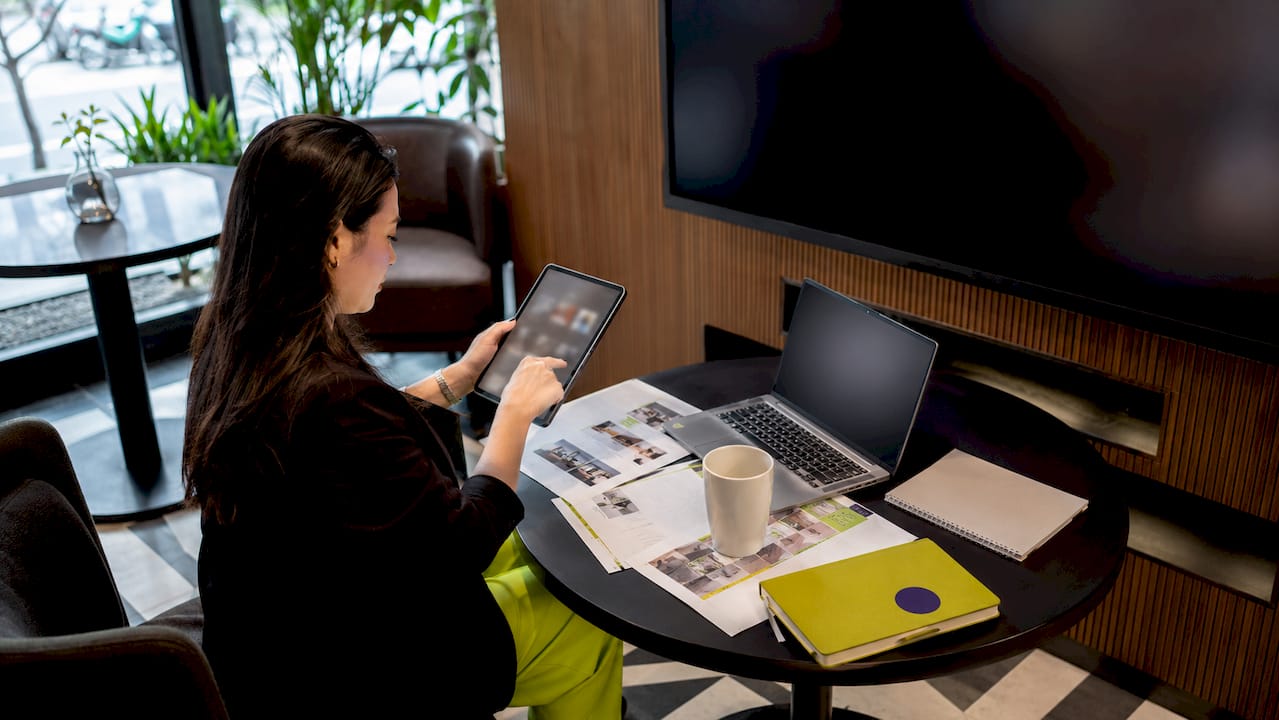
The most common mistake in lobby display ideas is treating the screen as a bulletin board. Pinning a static PDF of the company org chart to a digital display wastes the medium. Every content slot should either inform, orient, or build brand affinity.
What technical and design requirements ensure readability and appeal?
Professional design standards for lobby digital signage are specific and non-negotiable for readability. Recommended font sizes are 40pt for body text and 60pt for headlines, with slide rotation set at every 10–15 seconds. These numbers account for the typical viewing distance in a lobby, which ranges from 10 to 30 feet depending on screen placement.
| Design Factor | Recommended Specification |
|---|---|
| Body text font size | 40pt minimum |
| Headline font size | 60pt minimum |
| Slide rotation timing | Every 10–15 seconds |
| Screen brightness | 700+ nits for well-lit lobbies |
| Contrast standard | WCAG 2.1 AA (4.5:1 ratio minimum) |
| Kiosk touch height | 15–48 inches (ADA Section 508) |
Hardware selection matters as much as design. Consumer-grade displays fail quickly in commercial lobbies because they are not built for continuous operation. Commercial displays rated for 16/7 or 24/7 use, with brightness above 700 nits, maintain image quality under direct lighting. Hardware costs for a 1–4 screen lobby setup range from $1,000 to $8,000, with software management running $35 to $176 per month depending on the platform. That investment pays back quickly when content drives measurable visitor engagement.
ADA Section 508 compliance requires interactive kiosks to place tactile components between 15 and 48 inches in height, and passive displays must meet WCAG 2.1 AA contrast standards. Accessibility is not optional. A lobby that fails ADA requirements creates legal exposure and excludes a portion of every audience.
Pro Tip: Test your content on the actual installed screen before launch, not just on a design monitor. Color calibration differences between a laptop and a commercial display can make readable text look washed out or illegible at distance.
Cloud-based content management systems (CMS) are the standard for professional lobby signage. They allow marketing teams to push updates remotely, schedule content by time of day or day of week, and manage multiple locations from a single dashboard. A CMS without scheduling capability forces manual updates, which means content goes stale fast.
How do you create and manage lobby digital display content step by step?
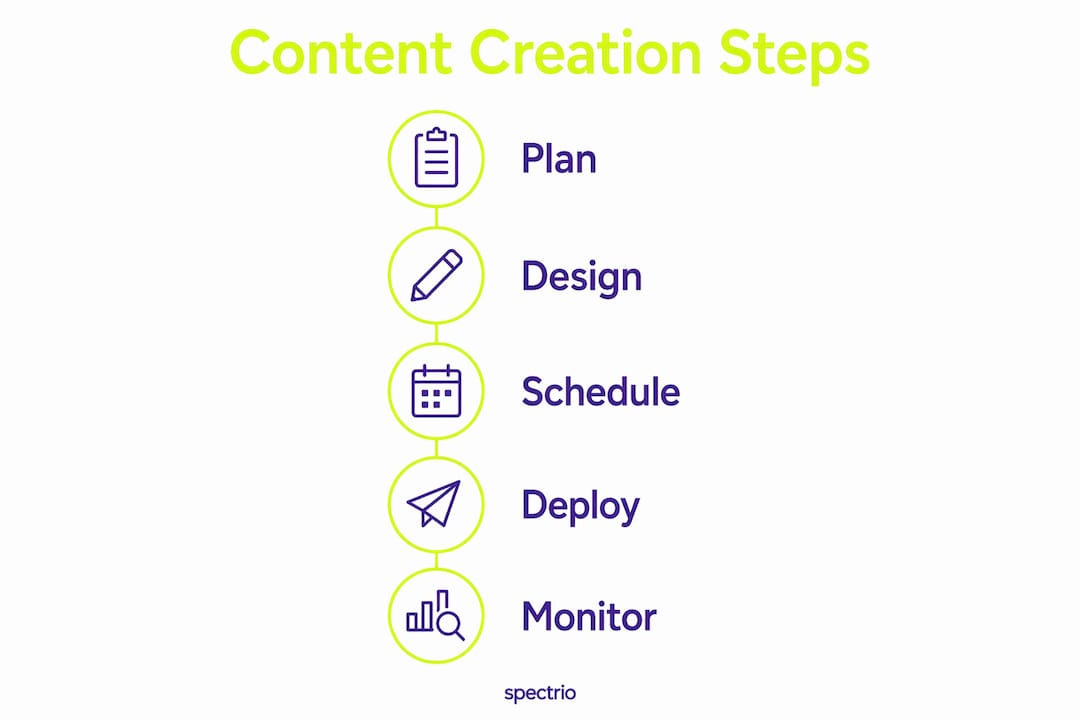
A repeatable workflow separates lobbies with sharp, current content from those running a slide deck someone built three years ago. Follow this sequence to build a program that stays relevant without constant manual effort.
- Define your content goals. Decide what each screen must accomplish: visitor orientation, brand awareness, or operational communication. Goals determine content mix and zone allocation.
- Audit your existing assets. Collect approved logos, brand colors, photography, and any existing video. Identify gaps before designing new content.
- Build a content calendar. Map content to events, seasons, and business milestones. A content calendar prevents the “nothing to show” problem that leads to outdated slides staying on screen for months.
- Design to spec. Use the font size and contrast standards from your design requirements. Tools like Adobe Express or Canva for Teams support the correct export formats for most CMS platforms.
- Set up scheduling and automation. Separating static scheduled content from API-driven dynamic content keeps displays fresh without daily manual updates. Connect weather feeds, calendar integrations, or visitor management APIs to populate the utility zone automatically.
- Assign content ownership. Content ownership belongs with communications or facilities teams, not IT. IT manages the hardware and network. Marketing manages what appears on screen. This separation keeps content business-relevant and prevents the “waiting for IT” bottleneck.
- Test before publishing. Preview every slide on the installed display. Check font rendering, color accuracy, and transition timing. Confirm that dynamic feeds pull correctly.
- Schedule a content review cycle. Set a recurring calendar reminder to audit content every 30 days. Remove anything outdated. Add content tied to upcoming events or campaigns.
Common mistakes in creating digital display content include overloading slides with text, using fonts below the 40pt minimum, and skipping the review cycle. A screen showing a holiday promotion in february is worse than a blank screen. It signals that no one is paying attention. Spectrio’s platform includes content playlist best practices built into the workflow, which reduces the chance of these errors reaching a live display.
Pro Tip: Build a “evergreen” content layer that runs automatically when no scheduled content is active. Brand imagery, company values, and ambient visuals fill gaps without requiring anyone to notice the gap first.
How can interactive lobby displays enhance content effectiveness?
Interactive digital lobby displays create a more memorable experience than passive content loops because they give visitors agency. Passive signage delivers a message. Interactive signage starts a conversation.
The practical difference shows up in several content formats:
- Touch-based wayfinding: Visitors tap a floor map to find a specific office or conference room. The display responds to their input rather than cycling through every floor on a timer.
- Presence-triggered content: Motion sensors detect when someone approaches and shift the display from ambient brand content to a direct welcome or check-in prompt. This works especially well in unmanned reception areas.
- Interactive brand storytelling: Product timelines, company history walls, and data visualizations that visitors can explore at their own pace. Visual storytelling techniques applied to interactive formats create brand impressions that outlast a single visit.
- Self-service check-in kiosks: Visitor kiosks reduce check-in times from 5–10 minutes to under 90 seconds while generating audit trails and sending automatic host notifications. That speed improvement changes the visitor’s first impression of the organization.
The content strategy for interactive formats differs from passive loops. Each interactive state needs its own content design. A wayfinding map requires clear iconography and large touch targets. A check-in kiosk needs a simple, linear flow with minimal steps. Designing for interaction means designing for a user who has a specific task, not a visitor who is simply waiting.
Pro Tip: Install analytics on interactive displays to track which content states visitors engage with most. Tap counts and dwell time data tell you what your audience actually wants to see, which is far more reliable than assumptions made in a conference room.
Key Takeaways
Effective lobby digital display content creation combines a structured content model, professional design standards, and clear content ownership to deliver measurable visitor engagement.
| Point | Details |
|---|---|
| Use the three-zone model | Divide content into Welcome, Utility, and Ambient zones to prevent cognitive overload. |
| Meet design specifications | Use 40pt body text, 60pt headlines, and 10–15 second rotation for lobby readability. |
| Assign content ownership to marketing | Communications teams, not IT, keep content business-relevant and current. |
| Automate with APIs and scheduling | Hybrid static and dynamic content prevents stale displays without daily manual updates. |
| Choose interactive formats deliberately | Interactive displays reduce check-in times and create stronger visitor impressions than passive loops. |
What Spectrio has learned about lobby content that most guides skip
The conversation about lobby digital signage almost always focuses on hardware specs and software features. This matter. But the single biggest failure point is content governance, not technology.
Spectrio works with organizations across multiple industries, and the pattern is consistent. A team launches a lobby display program with strong content, then six months later the screens show an event from last quarter and a staff photo of someone who left the company. The technology did not fail. The ownership model did. No one was assigned to keep the content current, so no one did.
The fix is not complicated. Assign one person in marketing or communications to own the content calendar. Give them access to the CMS. Set a 30-day review cycle on the calendar and treat it like any other recurring business task. That single structural decision separates lobbies that impress visitors from lobbies that quietly embarrass the brand.
The second thing most guides miss is the relationship between screen content and physical lobby design. Curated content aligned with lobby design creates a premium, cohesive feel. A screen showing a chaotic social media feed in a minimalist architectural lobby creates friction. Technology in a lobby should support the space, not compete with it. Choose content that matches the tone, color palette, and purpose of the physical environment.
The organizations that get this right treat their lobby display as a curated editorial product, not a broadcast channel. They make deliberate choices about what appears, when it appears, and what it says about the brand. That discipline is what separates engaging digital lobby content from digital noise.
— Spectrio
How Spectrio supports your lobby display program
Spectrio’s digital signage platform gives marketing professionals and venue managers a complete system for building, scheduling, and managing lobby content without depending on IT for every change.
The platform supports cloud-based content management, API integrations for dynamic data feeds, and scheduling tools that automate dayparting and seasonal updates. Spectrio’s dedicated account team handles onboarding and provides ongoing support, so your content program stays current even when your internal team is focused elsewhere. If you are evaluating unique ways to use digital signage in your lobby or across multiple locations, Spectrio’s team can walk you through content strategies built for your specific environment and visitor profile. You can also review digital signage ROI data to build the business case internally before committing to a full deployment.
FAQ
What is the three-zone content model for lobby displays?
The three-zone model divides lobby digital signage into Welcome, Utility, and Ambient zones. Each zone serves a distinct purpose and prevents cognitive overload for visitors.
What font size should lobby digital signage use?
Body text should be at least 40pt and headlines at least 60pt, with slide rotation every 10–15 seconds for optimal readability at typical lobby viewing distances.
Who should own lobby digital display content?
Communications or facilities teams should own content management, not IT. This keeps messaging business-relevant and prevents outdated content from staying on screen.
How do interactive lobby displays differ from passive signage?
Interactive displays give visitors agency through touch or motion triggers, which creates stronger impressions and faster service. Visitor kiosks, for example, reduce check-in times from 5–10 minutes to under 90 seconds.
What does ADA compliance require for lobby digital displays?
Interactive kiosks must place tactile components between 15 and 48 inches in height. Passive displays must meet WCAG 2.1 AA contrast standards, which require a minimum 4.5:1 contrast ratio.